Search ads and display ads both run on Google Ads, but they do different jobs. Search ads put your offer in front of someone who just typed a question or a need into Google. Display ads put a visual message in front of people who are reading, watching or scrolling somewhere else. For most small and local businesses that need customers soon, search is the place to start. Display earns its budget later, as a way to stay in front of people who have already shown interest.
This guide explains where each format appears, how they differ in intent, cost and measurement, and how to decide what your next dollar should do.
TL;DR
- Search ads appear on results pages when someone looks for what you sell. Display ads appear as banners, video and native units on websites, apps and social platforms.
- Search reaches people with a need right now. Display reaches people who may not be looking yet, so it builds awareness and brings back past visitors.
- If you need calls, form fills or bookings this quarter, fund search first and keep display small and targeted.
- Judge each format by its own goal: leads and cost per lead for search, reach and assisted conversions for display.
- Running both is normal once search is working and you have a clear job for display.
Table of Contents
- What search ads and display ads actually are
- Intent versus discovery
- How targeting works in each format
- Advantages and disadvantages of each
- Cost, reach and conversion: how to compare them honestly
- When a small business should use search ads
- When display ads make sense
- Using both together
- What to measure
- Our perspective
- Get search and display working for your business
- FAQ
- Sources
What search ads and display ads actually are
The difference starts with placement and presentation. According to Search Engine Land, search ads appear on search engine results pages, while display ads are visual ads, including banner, video and native formats, shown on websites, apps and social platforms.
In practice:
- A search ad is mostly text. Someone searches “emergency plumber near me,” and your headline and description appear above or alongside the organic results.
- A display ad is an image, a short video or a native unit. The person is reading a recipe blog or checking the weather, and your ad appears in the page layout.
The first is an answer to a question the person asked. The second is an introduction to someone who didn’t ask.
Intent versus discovery
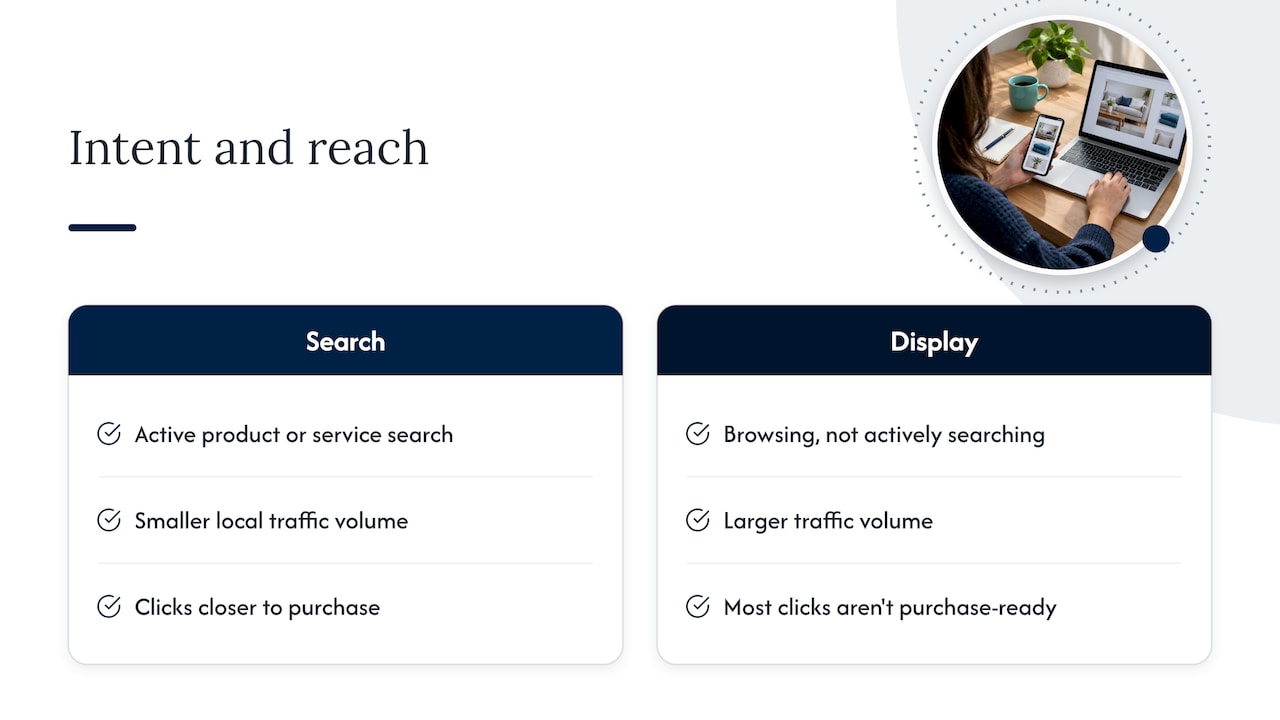
This is the distinction that decides most budgets. Google describes it as intent versus discovery: search ads reach people at the moment they look for a product or service you offer, while display ads reach people as they browse content and can introduce your offer to audiences who weren’t actively searching.
Think of a homeowner with a leaking water heater. She searches, clicks the first two or three ads, and calls. That is intent. Now think of the same homeowner a month earlier, reading a home-improvement article. A display ad for a plumber may be noticed, or ignored, because she has no plumbing problem yet. That is discovery.
For a small business, the practical result is simple. Search traffic is smaller in volume for a local service, but each click is closer to a purchase. Display traffic is larger in volume, but most of it isn’t ready to buy.
How targeting works in each format
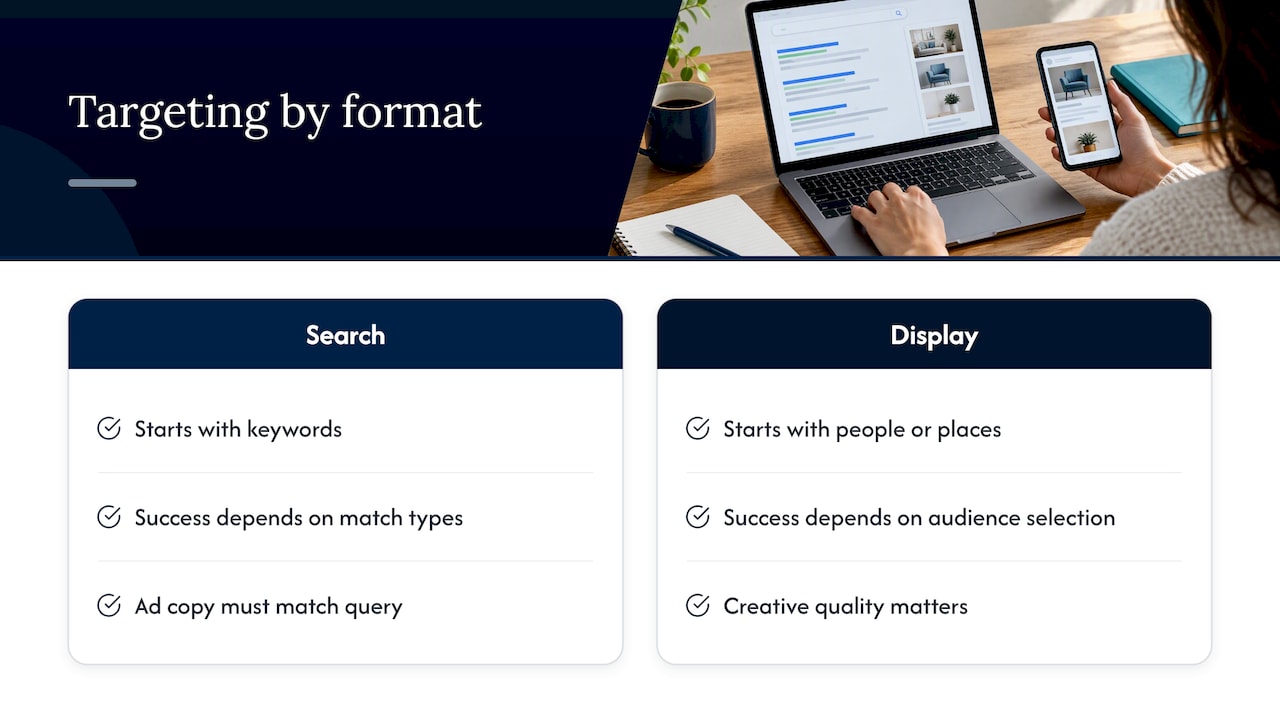
Search campaigns are built around keywords: the phrases you want to appear for. Layers on top can narrow or widen who sees the ad. Search Engine Journal lists keywords, customer match, remarketing, detailed demographics, in-market audiences and customized audiences among the targeting options for search campaigns. Our own walkthrough of audience targeting for Google search ads shows how a small account can use those layers without overspending.
Display targeting works the other way around. Instead of starting with the words someone typed, you start with a type of person or a type of place: audiences by interest or life event, topics, specific placements, or people who visited your website before. You are choosing who to interrupt rather than who to answer.
That has a consequence for your workload. A search campaign lives or dies on keyword choice, match types and the ad copy that matches the query. A display campaign lives or dies on audience selection and creative. Weak images, vague audiences or too-broad placements waste money fast.
Advantages and disadvantages of each
Search ads
Strengths
- You reach people at the moment of need, so clicks tend to be worth more.
- Text ads are quick to launch. You don’t need a designer to start.
- Results are easy to tie to a phone call, form or booking.
- Local targeting keeps spend inside the area you actually serve.
Weaknesses
- You only reach people who already search for what you sell. If nobody searches for your product, search can’t create demand.
- Popular terms get expensive because competitors bid on them too.
- Sloppy keyword settings can send budget to irrelevant searches.
Display ads
Strengths
- Much larger reach, because ads can show across a huge range of sites and apps.
- Visuals carry your brand, logo and offer in a way text can’t.
- Excellent for reminding visitors who left your site without buying.
- Clicks are often cheaper than search clicks, which makes it easy to build familiarity on a modest budget.
Weaknesses
- Most people who see the ad aren’t looking for you, so click and conversion rates are usually much lower than search.
- Placements can drift to low-quality sites unless you monitor them.
- You need decent creative in several sizes, and you need to refresh it.
- Cheap clicks can look like a bargain while producing nothing you can invoice.
We deliberately don’t quote a single “average” conversion rate or cost per click here. Published benchmarks vary widely by industry, by year and by how a company defines a conversion, and a plumber’s numbers look nothing like a boutique’s. The direction is consistent, though: search converts better per click, display costs less per click and reaches more people.
Cost, reach and conversion: how to compare them honestly
A cheaper click isn’t a cheaper customer. Here’s a simple way to compare, using made-up round numbers purely to show the arithmetic.
| Search (example) | Display (example) | |
|---|---|---|
| Clicks bought | 100 | 400 |
| Visitors who become a lead | 8 | 4 |
| Total spend | $500 | $400 |
| Cost per lead | about $62 | $100 |
In this example, display clicks cost a fraction of search clicks, and display still loses on cost per lead because far fewer visitors take action. These figures are illustrative, not benchmarks. Your own account data should replace them as soon as you have it.
The reverse can also happen. If your search keywords are highly competitive, cost per lead on search can climb until a well-run remarketing display campaign, aimed only at past visitors, produces leads more cheaply. This is why we compare formats on cost per lead and cost per customer, never on cost per click.
Reach
Reach is where display wins outright. A search campaign can only show when someone searches, so its ceiling is search volume in your area. A display campaign can show to a far wider audience. That reach is only valuable if it’s pointed at the right people, and for local businesses, “right” usually means within your service area and in a relevant audience.
When a small business should use search ads
Google’s own guidance, summarized by Search Engine Journal, is to use Search campaigns to reach people actively looking for your products or services and to drive sales, leads or website traffic. That fits most local businesses:
- Urgent or high-need services. Plumbing, HVAC, locksmiths, towing, dental emergencies, legal consultations.
- Services people research before hiring. Roofers, remodelers, accountants, landscapers.
- Anything with clear commercial search terms. If people already type “your service + your city,” search ads can answer them.
- Businesses that need a measurable path to a phone call. Call extensions and form tracking make results easy to read.
If you’re worried about wasting money, that’s a fair concern, and it is mostly about setup and management, not the format itself. We covered that in Is Google Ads a money pit or a lead-generation machine?. Ad copy matters too: responsive search ads let Google test headline combinations against each query, and your Quality Score affects what you pay per click.
When display ads make sense
The same Search Engine Journal guide says Display campaigns can extend reach to a target audience or re-engage interested users. Those are the two jobs we’d give display for a small business:
- Remarketing. Most visitors leave your site without contacting you. A display campaign shown only to those visitors keeps your name in front of them while they decide. We explain the mechanics in how to bring back customers who left your website without buying.
- Awareness for longer decisions. If your product has a long consideration window, such as a custom kitchen, a wedding venue or a software setup, people compare for weeks. Display keeps you familiar during that stretch.
- Introducing something new. A new location, seasonal event or product people don’t know to search for yet.
What display shouldn’t be is your first and only paid channel when you need leads soon. Without search capturing demand that already exists, you are paying to talk to people who mostly aren’t shopping.
Using both together
You don’t have to pick forever. Industry coverage notes that almost all comprehensive paid search programs also include display. The campaigns support each other like this:
- Search captures the ready buyer. It is the base of the program.
- Display follows the people who didn’t convert. Someone clicks your search ad, doesn’t call, and later sees a reminder on a site they trust.
- Branded search rises. People who saw your display ad may search your name later, and that search is cheap and converts well.
Keep them in separate campaigns with separate budgets and goals. Mixing them in one campaign makes it nearly impossible to see which one is doing the work.
A sensible order for a small budget
- Launch a tightly targeted local search campaign on your most profitable services.
- Make sure conversion tracking counts calls and form fills correctly.
- Once you have a few weeks of data, add a small remarketing display campaign aimed at site visitors.
- Only then consider broader display audiences, with a modest cap and a specific goal.
If you’re deciding between Google and a social platform for that first dollar, see Google Ads vs Facebook Ads. For the bigger question of ads versus organic work, our budget guide for SEO, Google Ads or social media lays out the trade-offs.
What to measure
Using one scorecard for both formats is the most common mistake. Give each format the measures that fit its job.
For search
- Conversions: calls, form submissions, booked appointments.
- Cost per lead and cost per customer: the number that tells you whether the campaign pays.
- Search terms report: the real queries that triggered your ads, so you can add negative keywords.
- Impression share: how often you appear when you’re eligible, which shows whether budget or ranking is holding you back.
For display
- Reach and frequency: how many distinct people saw the ad and how often.
- View-through and assisted conversions: people who saw the ad, didn’t click, and converted later.
- Placement reports: where your ads actually ran, so you can exclude poor sites and apps.
- Remarketing conversion rate: whether past visitors come back and act.
The ultimate check for both is the same: did the lead turn into a paying customer? Ask every new customer how they found you, and compare that with what your reports say. Disagreement between the two is a signal to look closer at tracking.
Our perspective
We talk with business owners who tried a digital campaign, saw clicks and no customers, and concluded that online ads don’t work. When we look at the account, the story is usually the same: a display or broad campaign was bought for its low cost per click, nobody checked what happened after the click, and the reports showed impressions instead of leads.
Our view is that a small business should start where intent is highest, measure what happens after the click, and add reach only once the basics pay for themselves. That is why our reporting centers on leads and business results rather than traffic totals, and why we tell clients what each dollar is doing and which campaign is doing it.
We also don’t treat display as a lesser format. A remarketing campaign with clean audiences and a clear offer can be one of the most efficient parts of an account. It just needs a job, a cap and a scorecard.
— Michael
Get search and display working for your business
If you’d like a clear plan instead of guesswork, our Google Ads management covers campaign setup, local targeting, ongoing optimization and performance reports that show leads, not just clicks.

If your site isn’t ready to turn paid clicks into calls, we can also look at your website design. Paid traffic sent to a slow or confusing page wastes budget in either format. Prefer a local team? See our St. Petersburg Google Ads specialist page.
FAQ
Is search or display better for a small business?
For most small businesses that need customers soon, search is better as a first investment because it reaches people who are already looking. Display is better as a supporting channel for remarketing and awareness. The right answer depends on your goal and your sales cycle.
Can I run search and display ads together?
Yes, and many established programs do. Run them as separate campaigns with separate budgets so you can see what each contributes. A common pattern is search for new demand and display remarketing for people who visited and left.
Are display ads cheaper than search ads?
Display clicks are generally cheaper than search clicks, but that doesn’t make display cheaper per customer. Because fewer display visitors take action, cost per lead can end up higher. Compare formats on cost per lead, not cost per click.
Is $500 a month enough for Google Ads?
It can be enough to run a focused local search campaign in a modest market, but not enough for broad display coverage as well. Concentrate it on a few high-value keywords and a tight service area, and track calls and forms from day one. What’s workable depends on your industry and how competitive your area is.
Do display ads work for lead generation?
They can, mostly when aimed at people who already know you, such as past site visitors. Cold display audiences usually need a strong offer and good creative, and results tend to be slower and harder to attribute than search.
Sources
- Search Engine Land: where paid search ads appear in the results
- Search Engine Journal: what a comprehensive paid search program looks like
- Search Engine Journal: an in-depth guide to Google Ads
- Google: reach larger, new audiences