

If you need phone calls from people ready to hire today, start with Local Services Ads. If you need website traffic, keyword control, or remarketing, run Google Ads. For most local service businesses, the strongest play is both running at the same time.
Here is the quick industry map:
- LSA works best for: plumbers, HVAC technicians, electricians, locksmiths, house cleaners, roofers, pest control, garage door repair, and other trades where a customer calls and books immediately.
- Google Ads (Search/Local campaigns) works best for: retail shops, specialized consultancies, businesses that need a landing page to explain a service, and any business that wants to retarget visitors or capture research-phase buyers.
- Run both when: your service is phone-first AND you want to capture people who click through to compare options before calling.
Google Business Profile (GBP) sits underneath both products. A complete, verified GBP feeds ad creative, enables Maps placements, and strengthens the trust signals that convert clicks into calls.
Table of Contents
- How do Local Services Ads and Google Ads compare for local businesses?
- How Local Services Ads work: verification, leads, and billing
- How Google Ads supports local businesses: campaign types and account linking
- What does local advertising actually cost for a small business?
- How do you choose between LSA, Google Ads, or running both?
- Step-by-step setup checklist for LSA and local Google Ads
- How to run, test, and measure local Google advertising: a 30/60/90 plan
- Key Takeaways
- Why most local advertisers get this wrong
- Tradewindsunitedmedia can set this up and run it for you
- Official resources and further reading
How do Local Services Ads and Google Ads compare for local businesses?
Google Ads uses pay-per-click with keyword-level control, while Local Services Ads use pay-per-lead and surface at the very top of service-related search results, above standard paid ads.

| Dimension | Local Services Ads (LSA) | Google Ads (Search/Local) |
|---|---|---|
| Billing model | Pay-per-lead (call, message, booking) | Pay-per-click |
| Where ads appear | Top of Search, Google Maps | Search results, Maps (with location assets), Display, YouTube |
| Best business types | Home services, trades, legal, financial, healthcare | Retail, e-commerce, consultancies, multi-location, complex services |
| Setup & verification | Background checks, license/insurance upload, Google review | Account creation, GBP linking, keyword research, tracking setup |
| Keyword/audience control | None — keywordless, Google matches intent | Full keyword, audience, device, and bid control |
| Typical cost expectations | Variable per-lead cost by vertical and city | Variable CPC; budget scales with keyword competition |
| Lead tracking & attribution | Built-in lead inbox, call recordings, dispute tool | Requires conversion tracking setup, call extensions, CRM integration |
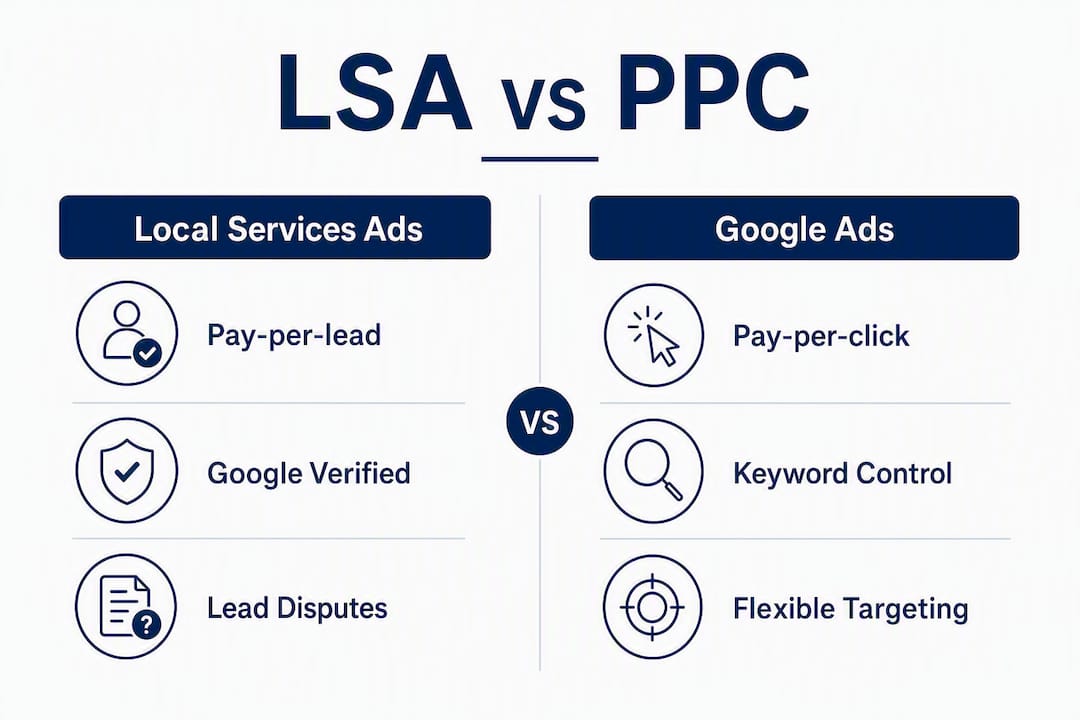
The single biggest practical difference: LSA charges you only when a real person contacts you. Google Ads charges you when someone clicks, whether they convert or not. That makes LSA more budget-predictable for pure lead-generation goals, but it removes the targeting levers that let you shape who sees your ads.
Bottom line by business profile:
- Choose LSA if your service is eligible, you answer your phone fast, and you want leads without managing keywords.
- Choose Google Ads if you need website traffic, remarketing, or keyword-level control over who sees your message.
- Run both if you want to dominate the top of the page and cover every stage of the buyer’s journey.
How Local Services Ads work: verification, leads, and billing
An LSA looks different from a standard Google ad. It shows your business name, star rating, city, and either a Google Guarantee or Google Screened badge. Customers can call, send a message, or book directly from the ad. These leads arrive via phone, text, or email straight to your business, and you pay only when a lead comes in, not when someone scrolls past.
Getting verified: what Google actually checks
- Create your LSA profile — Enter your business name, service area, service categories, and hours.
Google Guarantee applies to home service businesses. If a customer is dissatisfied with the work, Google may reimburse them up to a lifetime cap. The badge signals that Google has vetted your business, which is a real conversion driver for in-home services.
Google Screened applies to professional service categories like lawyers and financial advisors. It confirms background and license checks but does not include the money-back guarantee.
How billing and lead disputes work
You are charged when a customer contacts you through the ad. A “valid lead” is one that matches your listed service category and service area. If you receive a lead for a service you do not offer, or from a location outside your area, you can dispute it through the LSA dashboard. Google reviews disputes and credits your account for invalid leads.
Pro Tip: Document every disputed lead the same day it comes in. Note the call time, what the caller asked for, and why it falls outside your service scope. A clean dispute log speeds up the credit process and protects your budget over time.
How Google Ads supports local businesses: campaign types and account linking
Google Ads gives local businesses several formats to work with, and the right choice depends on whether you want foot traffic, phone calls, or website conversions.
Useful formats for local advertisers:
- Search campaigns with location assets: Standard text ads that show your address, phone number, and distance from the searcher. These are the workhorses of local PPC.
- Performance Max for store goals: Google’s automated campaign type that runs across Search, Maps, Display, YouTube, and Gmail. Maps placements require location assets and appropriate campaign types, and Performance Max handles that distribution automatically.
- Call-only ads: Show only on mobile; the click dials your number directly. No landing page needed, which makes them ideal for emergency services.
- Local campaigns (legacy): Being absorbed into Performance Max, but the concept, targeting by location and driving calls or visits, carries over.
- Remarketing: Show follow-up ads to people who visited your site but did not call or convert. LSA cannot do this. Google Ads can.
Linking your Google Business Profile to Google Ads
Linking location assets is what enables your ads to show map pins, business hours, and action buttons. Without it, you are running a generic national-style ad even if your geo-targeting is local.
- Sign into Google Ads and go to Tools > Linked accounts.
- Select Google Business Profile and request access.
- Once linked, go to Assets > Location assets and enable them at the account or campaign level.
- Confirm that your GBP is complete: accurate hours, recent photos, and a booking link if your category supports one. GBP data feeds your ad creative directly, so a thin profile means thin ads.
What a local Search campaign actually looks like
A plumbing company running a local campaign might structure it this way: campaign goal set to leads, geo-targeting set to a 20-mile radius around their service area, one ad group per service category (drain cleaning, water heater repair, emergency plumbing), and each ad group pointing to a dedicated local landing page that matches the search intent. Call extensions and location assets are enabled at the campaign level. That structure gives Google enough signal to match the right ad to the right search while keeping cost-per-lead data clean by service type.

The tradeoff versus LSA: you control every keyword, every bid, and every landing page. That control is powerful, but it also means more setup time, more ongoing management, and a steeper learning curve.
What does local advertising actually cost for a small business?
Cost varies by vertical, city, and competition level. There is no single “average” that applies across industries, so the most useful framing is to understand the cost model and set a test budget that gives you real data.
LSA cost model: You pay per lead. Lead costs vary by category and market. A lead for a locksmith in a mid-size city costs less than a lead for a personal injury attorney in a major metro. Google sets lead prices based on the category and location; you set a weekly budget cap.
Google Ads cost model: You pay per click. Different click types affect cost accounting, and Performance Max store-goal campaigns may use CPM for certain Maps placements. CPC varies by keyword competition. Emergency service keywords in competitive cities cost more than niche service keywords in smaller markets.
| Scenario | Daily Budget | Campaign Type | Expected Output |
|---|---|---|---|
| Pilot test | $20/day | LSA only | A handful of leads per week depending on category and city |
| Moderate local push | $20/day | Google Ads Search | Meaningful click volume; conversion depends on landing page quality |
| Combined approach | — | LSA + Google Ads Search | Leads from LSA plus site traffic and remarketing from Google Ads |
| Aggressive local | — | Performance Max + LSA | Broad local coverage across Search, Maps, and Display |
For a realistic look at Google Ads budgets for small businesses, the key metric to track is cost per acquisition (CPA), not cost per click. CPA = total ad spend divided by the number of paying customers. If your average job is worth $400 and your CPA is $80, you have a 5:1 return. That math tells you whether to scale or pause faster than any benchmark.
Pro Tip: Run your LSA and Google Ads budgets separately for the first 60 days. Mixing them makes it impossible to know which channel is delivering leads at what cost. Clean data early saves a lot of guesswork later.
- Set a hard daily cap on both platforms from day one.
- Expect the first two weeks to be a learning period; do not judge performance until week three.
- Seasonal businesses should plan budget spikes around peak demand, not spread spend evenly year-round.
- A $20/day LSA pilot is enough to validate whether your category and market generate leads before committing to a larger budget.
How do you choose between LSA, Google Ads, or running both?
Work through these questions in order. Your answers map directly to a recommendation.
- Is your service category eligible for LSA? Check Google’s eligibility list. If no, skip to Google Ads.
- Can you pass background and license verification? If licenses are expired or documentation is incomplete, LSA is not available until that is resolved.
- Do you answer your phone during business hours? LSA leads go cold fast. If you cannot respond within minutes, LSA spend is wasted.
- Do you need website traffic or remarketing? If yes, Google Ads is required. LSA sends leads directly; it does not drive site visits.
- Do you have a functional, fast-loading local landing page? Google Ads without a good landing page wastes budget. LSA does not need one.
- What is your monthly ad budget? Under $600/month, start with LSA only. $600–1,500/month, test both. Above $1,500/month, run both with separate campaign structures.
- Do your different services have very different profit margins? If yes, separate campaigns per service category in Google Ads so you can set different CPA targets.
How the answers map:
- LSA only: eligible service, phone-first operation, budget under $600/month, no remarketing need.
- Google Ads only: ineligible for LSA, needs landing page traffic, complex service requiring explanation, or retail/e-commerce model.
- Both: eligible service, budget above $600/month, wants to cover immediate leads AND research-phase buyers.
Red flags that should pause any decision:
- Your service category is on Google’s prohibited list (certain financial products, adult services, weapons).
- You have no process for handling inbound calls promptly.
- Your GBP is incomplete or unverified.
- You have no way to track which leads become paying customers.
Questions to ask an agency before outsourcing:
- How do you route LSA leads, and what is your dispute process?
- Do you report on valid leads separately from total leads?
- How often do you review keyword lists and negative keywords in Google Ads?
- What CRM or call-tracking tool do you use to close the loop between ad spend and revenue?
Step-by-step setup checklist for LSA and local Google Ads
LSA setup checklist
- Go to ads.google.com/local-services-ads and check eligibility for your category and state.
- Create your LSA profile: business name, phone number, service area (city, ZIP, or radius), service categories, and business hours.
- Upload required documents: business license, general liability insurance certificate, and any trade-specific certifications. Have digital copies ready before you start.
- Submit to background check. Google’s third-party partner contacts you; response time varies but is typically within a few business days.
- Set your weekly budget and lead preferences (call, message, or booking).
- Configure phone routing so LSA calls reach a live person or a well-scripted voicemail that captures the lead.
- Once live, check the lead inbox daily and respond to every lead within the hour.
Documents to prepare in advance:
- State business license
- General liability insurance certificate (showing coverage dates and limits)
- Trade license (electricians, plumbers, HVAC, etc.)
- Workers’ compensation certificate if you have employees
Google Ads local campaign setup checklist
- Create or sign into your Google Ads account at ads.google.com.
- Link your Google Business Profile via Tools > Linked accounts > Google Business Profile.
- Enable location assets at the account level under Assets > Location assets.
- Choose your campaign type: Search for keyword control, Performance Max for automated local coverage.
- Set geo-targeting to your actual service area, not a broad state or national setting.
- Install Google Ads conversion tracking on your website (phone call clicks, form submissions, booking completions).
- Build ad groups by service category, each pointing to a matching local landing page.
- Add call extensions and location extensions to every campaign.
Common setup issues and quick fixes:
- GBP linking fails: Confirm you are using the same Google account that manages the GBP, or request admin access from the GBP owner.
- Verification delays: Check your LSA dashboard for document status; missing or expired documents are the most common cause.
- No leads after launch: Verify your budget is not too low to compete in your market, your service area is set correctly, and your profile is fully approved.
Migration note: Google is moving Local Services Ads into the Google Ads interface in phases. Before your account migrates, download all historical LSA performance reports and lead data. Historical reports will not transfer automatically, though lead histories will carry over.
How to run, test, and measure local Google advertising: a 30/60/90 plan
A structured test period separates businesses that get results from those that burn budget and give up.
30/60/90-day framework:
- Days 1–30 (Setup and baseline): Launch LSA and/or Google Ads with conservative budgets. Focus on getting clean data: confirm tracking fires correctly, leads are being logged, and calls are being answered. Do not optimize yet. Let the campaigns gather impressions and clicks.
- Days 31–60 (First optimization pass): Review lead quality in LSA. Dispute any invalid leads. In Google Ads, add negative keywords for irrelevant searches, pause underperforming ad groups, and test two headline variants per ad group. Check that GBP photos and hours are current.
- Days 61–90 (Scale or restructure): Calculate CPA by service category. If a category is profitable, increase its budget. If a category’s CPA exceeds the job value, restructure the ad group or pause it. Begin building a remarketing audience from Google Ads traffic for follow-up campaigns.
KPIs to track from week one:
- Total leads received
- Valid leads (after disputes)
- Lead-to-booking rate (leads that became scheduled appointments)
- Cost per lead (CPL)
- Cost per acquisition (CPA)
- Close rate (booked jobs that became paid jobs)
- Lifetime value estimate for scaling decisions
Pro Tip: Connect your Google Ads account to a CRM or at minimum a shared spreadsheet where every lead is tagged by source, date, and outcome. Without that loop closed, you are optimizing ad spend based on clicks, not revenue. Customer Match in Google Ads also lets you upload customer lists for remarketing, though it requires a minimum list size and compliance with Google’s data policies.
Reporting cadence that proves ROI:
A weekly snapshot covering spend, leads, valid leads, and CPL is enough for the first 90 days. Monthly reports should add CPA, close rate, and a comparison to the prior period. The one number that matters most to a business owner: how much did we spend, and how much revenue did it generate?
Google recommends using both LSA and Google Ads together to cover different points in the customer journey. LSA captures the person who has already decided to hire someone. Google Ads captures the person still comparing options. Remarketing then re-engages everyone who visited your site but did not convert. That three-layer structure is what separates a local advertising strategy from a single ad.
Key Takeaways
Running LSA for immediate phone leads and Google Ads for keyword-targeted traffic and remarketing gives local service businesses the most complete coverage of how local buyers actually search and decide.
| Point | Details |
|---|---|
| Start with LSA for phone leads | LSA is pay-per-lead and requires no landing page; ideal for trades and home services that need calls fast. |
| Use Google Ads for control and remarketing | Google Ads lets you target specific keywords, set geo-radius, and retarget visitors LSA cannot reach. |
| Link your Google Business Profile first | GBP must be linked to Google Ads before location assets, Maps pins, and booking buttons can appear in ads. |
| Download LSA reports before migration | Google is moving LSA into the Google Ads interface; historical performance reports will not transfer automatically. |
| Tradewindsunitedmedia handles setup and management | Tradewindsunitedmedia sets up LSA, Google Ads, GBP optimization, and lead tracking for small local businesses. |
Why most local advertisers get this wrong
The conventional advice is to pick one platform and master it. That sounds disciplined, but it misreads how local buyers actually behave. A homeowner searching for an HVAC technician at 7 AM on a Tuesday is not browsing. They want a phone number and a badge that tells them the company is vetted. LSA is built for exactly that moment. But that same homeowner may have searched “HVAC maintenance cost” three weeks earlier, read two articles, and visited two websites. Google Ads with remarketing is the only way to stay in front of that person across that longer arc.
The mistake most small businesses make is not choosing the wrong platform. It is treating local advertising as a single-channel decision when the buyer’s path is multi-step. A plumber who runs only LSA captures the emergency call but misses the homeowner who is planning a bathroom renovation six months out. A retailer who runs only Google Ads gets site traffic but no trust badge at the top of the page when a competitor has one.
The other consistent failure: launching ads without a complete Google Business Profile. Photos, accurate hours, a booking link, and recent reviews are not optional extras. GBP data feeds Local Ads creative directly, and a thin profile produces thin ads. Businesses that treat GBP as a set-it-and-forget-it task consistently underperform against competitors who update it weekly.
One small change that reliably moves the needle: adding a booking button to your GBP and LSA profile. It reduces friction at the exact moment a customer is ready to commit. That single addition, combined with a verified badge, is often the difference between a lead that converts and one that calls the next result on the page.
Tradewindsunitedmedia can set this up and run it for you
Most small business owners know they should be running local ads. The part that stalls them is the setup: linking GBP correctly, structuring campaigns by service category, building local landing pages that actually convert, and closing the loop between ad spend and booked jobs. That is exactly what Tradewindsunitedmedia does.

Tradewindsunitedmedia handles LSA verification and setup, Google Ads campaign management, GBP optimization, and lead-tracking integration for local service businesses and small retailers. The free audit covers your current ad accounts (or lack of one), your GBP completeness, your website’s ability to convert local traffic, and a recommended 30/60/90 plan with realistic budget targets. If your website isn’t generating leads, that gets flagged too, because ads driving traffic to a broken or slow site is money lost before a lead is ever generated.
To get the most from an audit, have your current monthly ad spend, your Google Ads account ID (if you have one), and your service locations ready. Book a free audit at tradewindsunitedmedia.com and get a clear picture of where your local ad budget should go next.
Official resources and further reading
These are the primary sources to consult for verification requirements, billing policies, and migration timelines:
- Reach Local Customers with Local Services Ads — Google’s official LSA product page; start here to check eligibility and begin your profile.
- How to grow your business with Local Services Ads — Google’s practical guide to LSA setup, trust badges, and lead generation.
- About Local Ads (Google Ads Help) — Covers location asset linking, billing behavior for different click types, and GBP integration requirements.
- Show local search ads on Google Maps — Explains Maps placements, promoted pins, and which campaign types support them.
- Guide to lead generation for local businesses — Google’s resource on LSA lead flow, trust badges, and conversion best practices.
- Google Is Bringing Local Services Ads Into Google Ads — Search Engine Journal’s coverage of the LSA migration into the Google Ads interface; consult this for migration timelines and what to export before the transition.
- Location Landing Pages: 6 Crucial Elements of Local Visibility — Ahrefs guide on building local landing pages that rank and convert; relevant for Google Ads campaigns that need destination pages.
For verification documents and billing disputes, the Google Ads Help Center is the authoritative source. For migration timing and what changes to expect in your account, the Search Engine Journal article above is the most current public summary available.




