

Start a redesign with a discovery-first audit and a signed project brief, not a design mood board. Skip that step and you risk losing organic traffic, blowing the timeline, and paying for rework nobody budgeted. The right sequence runs audit, then plan, then design, then build, then migrate, then launch, then monitor. Everything below breaks that sequence into the exact tasks each phase demands.
TL;DR:
- A comprehensive discovery audit must be completed before design work to identify existing issues, traffic patterns, and SEO priorities, preventing traffic loss and delays.
- Clear goals using SMART criteria and scope decisions based on those goals are essential, with most projects lasting three to six months and built-in buffers for delays.
- Content must be treated as a separate workstream with deadlines and approval processes to avoid launch delays caused by missing or unapproved copy.
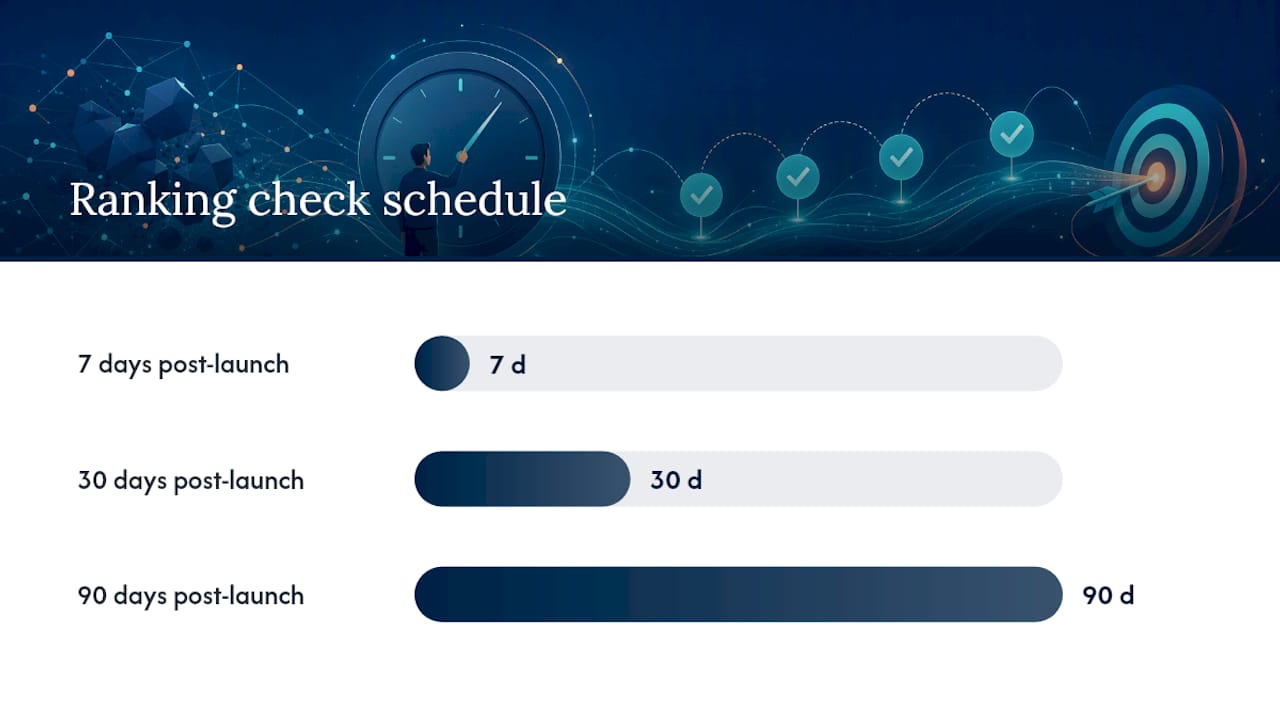
- A detailed redirect map and metadata transfer are crucial for preserving SEO rankings, with post-launch ranking and backlink checks at 7, 30, and 90 days to ensure stability.
- Automated testing, stakeholder communication, and a well-scripted launch runbook mitigate risks and make the launch process predictable and controlled.
Table of Contents
- What Goes Into a Website Redesign Checklist for Planning and Audit?
- How Do You Set Goals and Scope for a Website Redesign?
- How Do You Handle Content and Information Architecture During a Redesign?
- What Should the Design and UX Checklist Cover?
- What Technical QA Steps Prevent Launch-Day Problems?
- How Do You Preserve SEO Rankings During a Redesign?
- What Does a Launch-Day Runbook Look Like?
- How Long Should You Monitor a Website After Redesign?
- What Do Most Businesses Get Wrong About Redesign Projects?
- Get Your Redesign Executed Without the Guesswork
- Where to Go for Deeper Technical Standards
- Sources
- FAQ
What Goes Into a Website Redesign Checklist for Planning and Audit?
Before anyone opens a design tool, you need three things on paper: what’s working, what’s broken, and who signs off on decisions. Skipping this step is why so many redesigns quietly bleed traffic in month two. Discovery-first planning produces a documented brief and scope before design begins, and that sequence alone reduces rework and keeps timelines intact.
Data collection tasks:
- Export historical GA4 data covering at least 12 months, including top landing pages, conversion paths, and traffic sources.
- Pull baseline Core Web Vitals from Chrome UX Report (CrUX) or Lighthouse for your current site, so you have a “before” number to compare against.
- Run a full crawl with a tool like Screaming Frog to generate a complete URL inventory.
- Log every backlink pointing at your domain using Ahrefs or Semrush, since those links carry SEO equity you cannot afford to break.
Decision and documentation tasks:
- Sort every crawled URL into keep, merge, update, or kill.
- Draft a project brief covering objectives, audience, competitors, and constraints.
- Write a requirements document that separates must-haves from nice-to-haves.
- Build a RACI chart naming who is Responsible, Accountable, Consulted, and Informed for each deliverable.
- Open a risk register and log obvious threats now (content delays, missing redirects, stakeholder turnover) rather than waiting for them to happen.
A website audit checklist built around SEO health checks pairs well with this stage, since it catches indexing and metadata issues before they get baked into new templates.
Pro Tip: Complete a planning worksheet on your own before you talk to any agency or vendor. Forcing yourself to answer scope and budget questions in advance changes the negotiation, and a documented worksheet tends to catch scope disagreements early instead of three weeks into the contract.
How Do You Set Goals and Scope for a Website Redesign?
Business goals and design goals are not the same thing, and conflating them is how projects drift. A business goal sounds like “increase demo bookings by 25% within 90 days of launch.” A design goal sounds like “reduce homepage bounce rate by simplifying navigation to three primary paths.” You need both, and you need to have them written down before wireframes exist.
Use the SMART format for every goal: Specific, Measurable, Achievable, Relevant, Time-bound. A goal like “improve the website” tells your team nothing. A goal like “cut checkout abandonment significantly by Q2.” gives everyone a target to design against and a number to check at launch.
Scope decisions follow from those goals:
- Full redesign fits when the brand, information architecture, and technology stack are all outdated together.
- Phased redesign fits when you need to preserve high-performing pages while rebuilding weak sections incrementally.
- Refresh fits when the structure works but the visual system feels dated.
Most redesigns run 3 to 6 months depending on content volume and integration complexity. Build in a 20 to 30% time buffer per phase. Content delays and stakeholder feedback loops are the two most predictable causes of slippage, and padding for them beats renegotiating deadlines mid-project. Every goal should map to an acceptance criterion, something specific enough that a stakeholder can look at the live page and say yes or no, not “I don’t love it.”
How Do You Handle Content and Information Architecture During a Redesign?
Content gaps are the single most common reason launch dates slip. Design can be finished, development can be done, and the site still can’t go live because three key pages have no approved copy. Fixing that means treating content as its own workstream with its own deadlines, not an afterthought bolted onto design.
- Classify every existing page as keep, merge, redirect, or kill, using the URL inventory from your audit.
- Build the new sitemap based on user tasks and search intent, not on your org chart.
- Create a migration spreadsheet mapping every old URL to its new destination, one row per URL, no exceptions.
- Assign a content owner for every page template, someone with actual authority to approve copy, not just draft it.
- Set editorial deadlines that precede the development deadline by at least two weeks, so QA isn’t fighting placeholder text.
- Write acceptance criteria per template (a product page needs pricing, specs, and a CTA above the fold, for example) so approval isn’t subjective.
- Preserve title tags, meta descriptions, canonical tags, and structured data for every page you’re keeping, and transfer them deliberately rather than letting a template default overwrite them.
Pro Tip: Lock your sitemap before development starts. Every added page after that point pushes your launch date and adds another row to the redirect map you’ll need later.
What Should the Design and UX Checklist Cover?
Eye-tracking research shows users fixate on first content and navigation within seconds of landing on a page, which is exactly why a cluttered hero section costs you conversions before anyone scrolls. Design decisions made here either support that first impression or fight it.
Build a design system before you build pages. A component library in Figma, with documented tokens for color, spacing, and typography, means your team builds once and reuses everywhere instead of redesigning the same button five times. Prioritize templates in this order: homepage, top landing pages, product or service pages, then everything else. Trying to design every template simultaneously is how projects stall.

Accessibility has to be a checklist item, not an afterthought bolted on after launch. WCAG 2.2 AA is the baseline most redesigns should target, covering contrast ratios, keyboard navigation, and alt text. Accessibility failures tend to increase as page complexity grows, which is exactly what happens during a redesign when new components pile up fast. Run both automated scans and manual keyboard testing, because automated tools alone catch maybe a third of real issues.
Conversion checklist for every key page:
- One clear headline that states what you do and for whom.
- One primary call-to-action per page, not three competing buttons.
- Proof elements near the CTA (review counts, client logos, a specific result).
- Forms that ask for the minimum information needed to move the lead forward.
Mobile traffic makes up a large and growing share of total visits, so every template needs mobile testing before it’s considered done, not after. For deeper tactics on what actually gets a visitor to act, see this breakdown of landing page design that converts.
What Technical QA Steps Prevent Launch-Day Problems?
Staging is where regressions get caught before customers find them, which only works if staging is treated with the same discipline as production.
Staging rules that matter:
- Block search engines with noindex tags on every staging URL.
- Keep staging crawlable internally so your team can test navigation and links properly.
- Run a full site crawl on staging before launch, comparing it against your original URL inventory to catch anything missed.
Automated checks belong in your build pipeline, not in a manual spreadsheet someone forgets to update:
- Run Lighthouse audits automatically on every deploy to catch performance regressions immediately.
- Run automated accessibility scans with a tool like axe, and fail the build when a check that previously passed starts failing.
- Run smoke tests covering your critical user paths (checkout, contact forms, primary navigation) on every deployment.
- Set explicit performance budgets, targeting Largest Contentful Paint under 2.5 seconds and a solid Interaction to Next Paint score, and cap third-party scripts that tend to blow past those numbers.
Functional QA still needs a human pass. Test every form submission, every payment flow, every third-party integration, across a real browser and device matrix, not just the browser your team happens to use. A site speed problem caught in staging costs an afternoon. The same problem caught in week one of production costs customers.
How Do You Preserve SEO Rankings During a Redesign?
Redirect mapping is the single highest-leverage task in the entire redesign process, and it’s also the one most likely to get rushed. A disciplined migration with a complete redirect map is what separates redesigns that hold their rankings from ones that fall off a cliff two weeks after launch. Treat migration as an operational gate that blocks launch, not a marketing checklist item you get to eventually.
The core sequence:
- Crawl the live site and export every indexed URL from Google Search Console.
- Build a one-to-one 301 redirect map: every old URL points to exactly one relevant new URL, never a blanket redirect to the homepage.
- Transfer metadata, Open Graph tags, canonical tags, and structured data (schema markup) to new templates, then verify each one manually on a sample of pages.
- Generate a new XML sitemap and update robots.txt to reflect the new structure.
- Verify your property in Search Console on day one and submit the new sitemap immediately after launch.
| Migration task | When to complete it | What to verify |
|---|---|---|
| URL export and redirect map | Before development starts | Every live URL has a mapped destination |
| Metadata and schema transfer | During template build | Titles, descriptions, canonicals match plan |
| Sitemap and robots.txt update | Pre-launch | New sitemap submitted, old sitemap removed |
| Ranking and backlink check | 7, 30, and 90 days post-launch | Rankings holding, backlinks resolving to live URLs |
Check rankings and backlink health at 7, 30, and 90 days after launch, since ranking recovery on a well-executed migration tends to stabilize within that window while a broken one keeps declining. For the strategic case behind all of this, SEO’s role in long-term growth is worth a closer read before you finalize your migration plan.
What Does a Launch-Day Runbook Look Like?
Launch day works best as a script, not an improvisation. Someone should own this document and follow it line by line.
- Schedule the DNS cutover during your lowest-traffic window, typically overnight or early weekend, and notify every stakeholder 24 hours ahead.
- Immediately after cutover, run smoke tests on primary CTAs, checkout or lead forms, and core navigation paths.
- Confirm analytics are firing correctly in GA4 and that Search Console shows the new property verified.
- Spot-check canonical tags and a sample of your 301 redirects to confirm they resolve to the correct new URLs.
- Define rollback triggers in advance (a broken checkout, a major indexing error) so nobody has to make that call under pressure.
- Assign specific people to specific checks for the first 24 to 72 hours, so nothing falls through because everyone assumed someone else was watching.
Have a communication plan ready before launch, not after something breaks. A one-line Slack update to stakeholders when cutover completes successfully prevents a dozen anxious emails an hour later.
How Long Should You Monitor a Website After Redesign?
Monitoring intensity should taper, not stop abruptly. Check daily for the first week, weekly through 90 days, then shift to monthly audits once metrics stabilize.
Track these KPIs on that schedule:
- Organic traffic retention compared against your pre-launch baseline.
- Core Web Vitals scores, watching specifically for regressions versus your staging benchmarks.
- Conversion rate on your priority pages.
- Page-level keyword rankings for your top 20 to 30 terms.
When something breaks, triage before you rebuild. A ranking drop on one template usually means a metadata or redirect issue, not a reason to redesign the whole page again. Run targeted hotfixes first, and reserve full rollbacks for genuine emergencies. Once the site is stable, shift to A/B testing and incremental changes rather than another round of wholesale redesign. A 30/60/90 day roadmap works well here, since it forces prioritization instead of trying to fix everything post-launch simultaneously.
Pro Tip: Keep a running log of every post-launch fix and the reason behind it. Six months later, that log is the fastest way to tell whether a new problem is actually new or something you already solved once.
What Do Most Businesses Get Wrong About Redesign Projects?
The three failures I see most often are entirely preventable, and none of them are technical. Content delays are the biggest one: teams approve a design before anyone has written the copy it depends on, and the whole project stalls waiting on a paragraph. Missing redirects are the second, usually because someone treated the URL inventory as optional instead of foundational. Insufficient QA is the third, where a site launches on a Friday afternoon with nobody assigned to watch it over the weekend.
These issues can be addressed by locking content ownership and deadlines before design starts, treating the redirect map as a launch blocker rather than a nice-to-have, and running structured QA gates with clear reporting at every phase. Clients get documented progress updates, not a single reveal at the end.
— Michael
Get Your Redesign Executed Without the Guesswork
This checklist covers the essential phases for small businesses that don’t have a full-time project manager to own the process themselves: discovery audit, design system, SEO-safe migration, and analytics setup before launch, not after.

Here’s what that looks like in practice: a documented brief and requirements list before any design work begins, a component-based design system built for your specific pages, a redirect map that protects the rankings you already earned, and GA4 and Search Console configured and verified before launch day, not scrambled together after. You get regular progress reports showing exactly where the project stands, not a single status update three months in. If paid traffic needs to fill any gap while organic rankings stabilize post-launch, Google Ads management can run alongside the migration instead of waiting until afterward.
Ready to see where your current site stands before you commit to a full rebuild? Request a website design consultation and get a straight answer on scope, timeline, and what your redesign actually needs.
Where to Go for Deeper Technical Standards
- Core Web Vitals guidance for mobile performance benchmarks and traffic share data.
- WCAG accessibility standards referenced in redesign acceptance criteria.
- Migration and redirect best practices for SEO-safe URL mapping.
- Marketing dashboard tools like Gleanit for consolidated post-launch reporting.
Sources
- How to plan a website redesign — Low/Code Agency
- Share of website traffic coming from mobile devices — Statista
FAQ
What Are the Steps to a Website Redesign?
The core sequence runs audit, goals and scope, content and sitemap planning, design, development and QA, SEO migration, launch, and 90 days of post-launch monitoring. Each phase should produce a specific deliverable before the next one starts.
What Should You Do Before a Website Redesign?
Export your GA4 data, crawl your current site for a full URL inventory, and document a project brief with goals, scope, and a RACI chart. This discovery work should be complete before design begins, since it’s what keeps the project from drifting midway through.
How Much Does a Full Website Redesign Cost?
Cost depends heavily on scope, page count, and whether you need custom design versus a template-based build; Tradewinds United Media publishes current project pricing on its website design page rather than a fixed number, since every scope differs.
Will I Lose Google Rankings If I Redesign My Website?
You can, but it’s largely preventable with a complete one-to-one 301 redirect map and careful metadata transfer for every page you keep. Most ranking losses trace back to incomplete redirects rather than the redesign itself, and checking rankings at 7, 30, and 90 days post-launch catches problems early enough to fix them.




