Audience targeting in Google Search ads means layering information about people (who they are, what they research, how they have dealt with your business) on top of the keywords they type. Keywords tell Google what someone wants right now. Audiences tell Google who is asking. For a small business with a limited budget, the safest way to use them is to add them in “observation” mode first, read what they show you, and only then narrow or bid up. This guide shows how.
TL;DR
- Audiences do not replace keywords in Search. They sit on top of your keywords and change who sees your ad or how much you bid.
- “Observation” watches how an audience performs without limiting reach. “Targeting” restricts your ads to that audience only. Start with observation.
- Your best audience is usually your own: past website visitors (the old RLSA idea) and, if eligible, your customer list.
- Demographic targeting narrows reach, so use it only when your customer is truly limited by age, gender, parental status or household income.
- Measure each audience by cost per lead or sale, not by clicks, then adjust bids in small steps.
Table of Contents
- What audience targeting does in a Search campaign
- The main audience types you can use
- Observation vs. targeting: the setting that matters most
- Remarketing lists for Search ads (RLSA): the first audience to build
- Customer Match: using your own customer list
- Demographic targeting: use it as a scalpel
- In-market and interest audiences: learn first, narrow later
- A safe rollout plan for a small budget
- Common mistakes we see
- Our perspective
- Getting help with audience-driven Google Ads
- FAQ
- Sources
What audience targeting does in a Search campaign
Google describes audience segments as a way to reach people based on who they are, their interests and habits, what they are actively researching, or how they have interacted with your business. You attach them to ad groups or campaigns, and they work alongside your keywords.
That last point trips up many owners. In a Search campaign, a person still has to search a term you bid on before your ad can show. The audience decides what happens next: whether you show only to that group, or whether you simply learn how that group behaves and bid differently for it.
A plumber in Tampa who bids on “water heater repair” reaches everyone who searches that phrase. Add an audience of people who visited the plumber’s pricing page last month, and you can bid higher for those warm searchers without changing a single keyword.
The main audience types you can use
Google groups segments into a few families. Here is how each one behaves for a local service business or retailer.
| Audience type | What it is | Best use for a small business | Risk |
|---|---|---|---|
| Your data segments | People who visited your site, used your app or watched your YouTube videos | Bid more for past visitors who search again | List may be too small to matter |
| Customer Match | Your own customer emails or phone numbers uploaded to Google | Exclude existing customers, or bid up for past buyers | Eligibility and privacy rules apply |
| Detailed demographics | Age, gender, parental status, household income | Businesses with a clearly bounded customer | Can cut off real buyers |
| Interests and in-market | People Google sees as interested in or actively researching a category | Add in observation to learn who converts | Broad, so costly if used as a hard target |
| Combined segments | Mixes of the above with AND/OR logic | Narrowing to a precise buyer profile | Can shrink reach to nothing |
Google’s help page on your data segments says these let you show ads to people who have interacted with your business, who may be highly interested in what you sell. Its page on combined segments explains that you can build them from several audience types and reuse them across ad groups or campaigns, including Search.
Observation vs. targeting: the setting that matters most
When you add an audience, Google asks how to use it. The difference is large, and it is the most common place for small accounts to lose money.
As Search Engine Journal explains, the targeting setting narrows your reach so only people in the selected audience are eligible to see your ads. The observation setting keeps reach broad: your ads can show to everyone, while the platform tracks how that audience performs.
In plain terms:
- Observation is a measuring stick. You lose nothing and learn which groups convert cheaply.
- Targeting is a filter. You gain focus and lose volume.
For most local businesses, a Search campaign that already has a few hundred searches a month cannot afford to filter. If you apply targeting to a small remarketing list, you may get almost no impressions and conclude that Search “does not work.”
A simple rule of thumb
Use observation when you are learning or your volume is low. Use targeting when you already know a group converts far better than everyone else and you want to put all your budget behind it, or when you need to keep ads away from a group that never buys.
Remarketing lists for Search ads (RLSA): the first audience to build
If you have heard the term RLSA, it simply means using your past visitors as an audience inside Search campaigns. Google’s page on data segments for Search ads describes customizing your Search campaign for people who previously visited your site and tailoring bids and ads to them when they search on Google and search partner sites. Search Engine Journal calls RLSA the simplest way to use audiences in Search, since you layer them into an existing keyword strategy. That article dates from 2018, so check current menu names in your account, but the logic still holds.
Here is how that looks in practice.
- Build the segments. Make separate lists for visitors to your whole site, to your service pages, and to your contact or quote page. A visitor who reached the quote form and did not submit is a different prospect from someone who read one blog post.
- Add them in observation. Attach the lists to your best-performing campaigns.
- Wait for data. Give it a few weeks, long enough for each segment to collect meaningful clicks and a handful of conversions.
- Adjust bids. If past visitors convert at twice the rate of new searchers, raise bids for them modestly, and review again.
- Test a tailored ad. A returning visitor responds to different copy than a stranger. Mention a free estimate or a same-week opening rather than introducing your company from scratch.
A useful side effect: remarketing audiences also let you bid on broader keywords that you would never risk with the general public. If someone has already seen your site and then searches a general term, that click is worth more than the same click from a cold searcher. Do this carefully and cap the budget while you test.
One caution from Google itself: its page on combined segments notes that Apple’s App Tracking Transparency policies may affect website, app and automatically created data segments and Customer Match on iOS 14 traffic. Lists can therefore come out smaller than your analytics suggest, so do not be surprised if a segment fills slowly.
Customer Match: using your own customer list
Customer Match lets you upload contact details you collected from customers so Google can match them to accounts. For a local business, two uses stand out: excluding current customers so you do not pay for clicks from people who already buy, and bidding up for past customers who search again, such as for a repeat service.
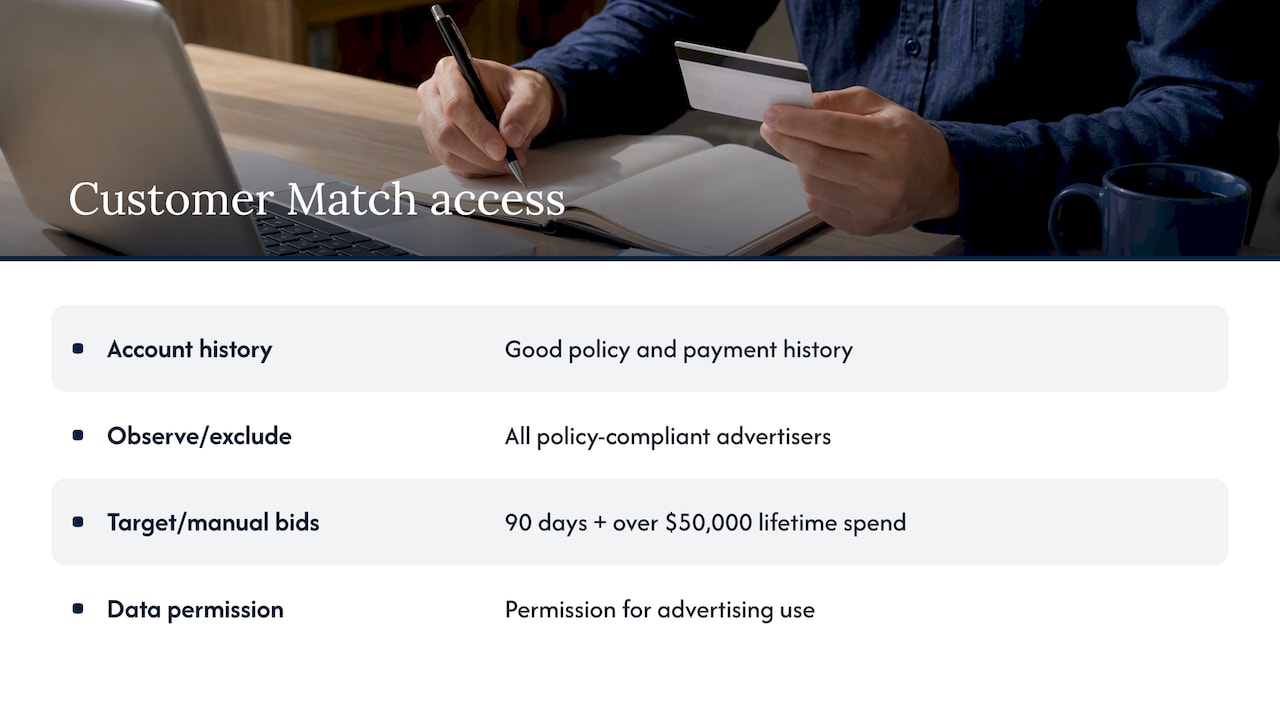
Access has conditions. Under Google’s Customer Match policy, your account needs a good history of policy compliance and a good payment history. All policy-compliant advertisers can use Customer Match in observation and for exclusions. Using it in the targeting setting, and for manual bid adjustments, requires 90 days of Google Ads history and more than USD $50,000 in total lifetime spend. Many small accounts will not meet that spend threshold yet, so plan around observation and exclusions, and check the policy page for current terms before you build a plan around it.
You also need permission to use the data. Only upload details people gave you in a way that allows advertising use, and keep a record of how you collected them. If you are unsure about your obligations, ask your attorney, not your ad platform.
Demographic targeting: use it as a scalpel
Google’s page on demographic targeting says you can reach people likely to fall in a certain age range, gender, parental status or household income. Its example is a fitness studio exclusively for women avoiding showing ads to men. The same page stresses that demographic targeting is an option to narrow your targeting, meaning it helps prevent people outside your chosen demographic from seeing the ads.
That is exactly why it needs care. Demographic data is inferred, and some people will be in an “unknown” group. If you exclude unknowns or whole age bands based on a hunch, you can quietly remove real customers.
A better method:
- Leave demographics on and watch the breakdown in your reports for a month or two.
- If one band clearly costs far more per lead and never converts, lower bids on that band first.
- Exclude only when your product truly cannot serve that group, as in a children’s dentist or a senior-living community.
Parental status and household income can be useful for businesses where the decision is a household one: home remodeling, tutoring, pediatric services. But treat these as hypotheses to test against actual leads.
In-market and interest audiences: learn first, narrow later
Google also offers segments built on interests and on what people are actively researching. The Google help page on Search targeting frames Search as the place people go to explore interests and find what they care about, so understanding their intent matters. In a keyword-driven campaign, intent already comes from the query, which is why these broader segments work best in observation. Add three or four relevant ones, wait, and see whether any produce a noticeably lower cost per conversion.
If an in-market audience for, say, home improvement shows a strong conversion rate, you have learned something real. You might raise bids slightly, write copy for that mindset, or create a separate campaign for it. If it shows nothing, you have lost nothing.
You can also use audiences as exclusions. If you sell a premium service and past leads who never converted keep clicking, excluding that list can protect budget.
A safe rollout plan for a small budget
Here is a sequence we would follow for a local business spending a modest monthly amount. Adjust the timing to your volume.
Weeks 1 to 2: set up and tag
Make sure conversion tracking works for calls, forms and bookings. Without it, audience data is noise. Create your website visitor segments, and upload your customer list if you have one.
Weeks 3 to 6: observe
Add website segments, your customer list and a few interest or in-market audiences in observation on your main campaigns. Do not change bids yet. Let each audience collect clicks.
Weeks 7 to 8: read the data
Open the audience report. Compare conversion rate and cost per conversion for each segment against the campaign average. Ignore segments with only a few clicks. A segment that has ten clicks and one conversion tells you almost nothing.
Week 9 onward: act in small steps
Raise bids for the clear winners by a modest amount, lower them for the clear losers, and revisit after another few weeks. Only move to targeting when one group is proven and the volume is large enough to survive the filter.
If your keywords are the weak link rather than your audiences, fix them first. Our guides on Google Ads Quality Score and Google Ads copywriting cover the foundations, and responsive search ads explain how to give different audiences different messages. If you are still deciding how much to put in, see our Google Ads budget guide and Google Ads cost for small businesses.
Common mistakes we see
- Switching to targeting too early. The account runs out of impressions and the owner blames the platform.
- One giant list. Lumping everyone who ever touched the site into one audience hides the difference between a reader and a near-buyer.
- Stacking too many layers. Combine age, income, interest and a remarketing list and the audience may be too small to serve ads.
- Judging by clicks. An audience with cheap clicks and no leads is the most expensive one you have.
- Forgetting exclusions. Paying for existing customers to click is common and avoidable.
- Ignoring the landing page. If the page the ad leads to is confusing, no audience will rescue it.
Our perspective
Most small businesses we talk to come to us after an agency told them to “target the right audience” and then showed them a report full of impressions. We think audience targeting is useful, but it is a second-order optimization. First get the basics right: tight keywords, honest ad copy, a landing page that makes the next step obvious, and conversion tracking you trust.
Only then does it make sense to layer audiences, and we like to do it the slow way: observation first, a written hypothesis for each segment, and a review in plain language. Owners should be able to see which audience produced which calls or form fills, and what we changed because of it. That is the kind of clear performance reporting and regular updates we aim for with every client.
We also think owners should be wary of any promise that a clever audience setting will fix a weak offer or a slow website. Audiences sharpen a campaign that already works. They rarely rescue one that does not.
— Michael
Getting help with audience-driven Google Ads
If you would rather not build segments, read audience reports and manage bids yourself, our team can run it for you. We manage Google Ads campaigns for small and local businesses, and we pair them with local SEO and website work so the traffic you pay for lands on a page built to convert. If you are in Florida, see our St. Petersburg Google Ads specialist page, or get in touch to talk about what your account needs. If you are unsure whether ads are the right channel, our comparison of SEO, Google Ads and social media spending is a good starting point.
FAQ
Can I use audience targeting with Search campaigns, or is it only for Display?
Yes, you can use it in Search. Google’s help documentation says combined segments can be used throughout ad groups or campaigns, including Display and Search. In Search, audiences work alongside your keywords rather than replacing them.
What is the difference between targeting and observation?
Targeting limits your ads to people in the selected audience. Observation lets your ads show to everyone who matches your keywords while reporting how the selected audience performs. For small budgets, observation is the safer starting point.
What does RLSA mean, and is it still worth using?
RLSA stands for remarketing lists for search ads, which means using past website visitors as an audience in Search campaigns. Google now groups this under your data segments. It is still one of the most practical audiences for a local business, because past visitors already know you.
Do I need a big customer list for Customer Match?
The bigger hurdle is account eligibility, not list size. Google requires good policy and payment history, and gates the targeting setting behind 90 days of history and more than USD $50,000 in lifetime spend. Smaller accounts can still use the list in observation and as an exclusion.
Should I exclude certain ages or genders?
Only if your product truly cannot serve them. Demographic targeting narrows reach, and the data is partly inferred. Review the demographic report first and lower bids before you exclude anyone.
Sources
- About audience segments, Google Ads Help
- About your data segment compatibility, Google Ads Help
- How to use combined segments, Google Ads Help
- About demographic targeting, Google Ads Help
- About your data segments for Search ads, Google Ads Help
- Reach your ideal customer on Google Search, Google Ads Help
- Customer Match policy, Advertising Policies Help
- PPC Audience Strategy: Targeting vs. Observation, Search Engine Journal
- 5 Easy Ways to Improve Your PPC Campaigns with Audiences, Search Engine Journal