Claim and fully complete your Google Business Profile, then fix every inconsistency in your business name, address, and phone number across your website and top directories. Those two moves address the “eligibility” layer of local search before anything else matters. Once that’s done, publish a verified location page on your site with an embedded map and LocalBusiness schema so Google can confirm what your profile already claims.
TL;DR:
- During days 31 to 60, launch review requests, clear duplicates, and add LocalBusiness schema; days 61 to 90 are for links and tracking.
- Ask for a review promptly after service, follow up once after five to seven days, then stop; reply to every review with a specific response.
- Add LocalBusiness schema with your address, phone, hours, and coordinates, validate it, but do not expect markup alone to guarantee a rich result.
- Monitor local rankings weekly or every two weeks, and compare calls, direction requests, and booking clicks; rankings fluctuate, so daily checks can mislead.
- Service area businesses without a public storefront should hide their address on the profile and list the cities or ZIP codes they serve.
Table of Contents
- How to use this checklist and the recommended task order
- Google Business Profile checklist: claim, verify, and optimize every field
- Reviews and reputation: generate more reviews and manage responses properly
- Citations and directory listings: audit, standardize, and fix duplicates
- On-page local SEO and content: location pages, local keywords, and internal linking
- Structured data and technical checklist: LocalBusiness schema, sitemaps, and crawlability
- Local links, PR, and partnerships: practical ways to build prominence
- Tracking and reporting: set up Search Console, Maps insights, and conversion tracking
- Downloadable toolkit and quick checklist: what’s included and how to use it
- Tradewinds United Media playbook and when to hire help
- Optimizing Google Business Profile posts and Q&A section
- Optimizing for voice search and mobile local search
- Local competitor analysis and benchmarking
- Leveraging social media for local engagement and signals
- Building and optimizing localized content such as blogs and FAQs
- Author perspective from Michael: pragmatic priorities for small businesses
- How Tradewinds United Media helps with local SEO
- FAQ
- Sources
How to use this checklist and the recommended task order
Local search ranking depends on relevance, distance, and prominence, and Google’s own guidance places prominence (links, reviews, and offline reputation) alongside the more mechanical factors. That means the checklist order matters: fix eligibility first, then relevance, then prominence, then the technical layer that lets Google trust what it finds.
- Days 1 to 30: Claim and verify your Google Business Profile, standardize NAP across your site and top directories, and publish or update your location page. Owner: business owner or office manager.
- Days 31 to 60: Launch a review request sequence, clean up duplicate directory listings, and add LocalBusiness schema. Owner: staff lead or agency.
- Days 61 to 90: Build local links, optimize Google Business Profile posts, and set up Search Console and conversion tracking. Owner: agency or marketing lead.
Track status with a simple done/in-progress/blocked label per task, and review progress every two weeks during the first 90 days.
Google Business Profile checklist: claim, verify, and optimize every field
A complete profile is the baseline every practitioner points to before anything else, and Google’s own guidance treats profile completeness as central to ranking. Work through these fields in order:
- Claim and verify ownership through Google’s verification process, whether by postcard, phone, email, or video depending on your business type.
- Confirm your primary category matches your core service exactly, then add secondary categories only where they’re genuinely accurate.
- Fill out your business description, services, products, standard hours, and special hours for holidays or seasonal changes.
- Add eligible business attributes, such as Women-owned or Veteran-owned, where they apply.
- Upload high-quality photos of your storefront, team, and work, and add booking links if you take appointments online.
- Keep your business name exactly as it appears on your signage and legal paperwork. Never stuff it with keywords like “Best Plumber Downtown,” which violates Google’s naming guidelines and can trigger a suspension.
- If you run a service-area business with no public storefront, hide your address and list your service areas by city or zip code instead.
Our Google Business Profile optimization playbook walks through each field in more depth if you want a reference while you work.
Pro Tip: Set a quarterly reminder to re-check your category list and photos, since Google periodically adds new category options that may fit your business better than what you originally chose.
Reviews and reputation: generate more reviews and manage responses properly
Review volume and response habits both carry weight. Google’s guidance notes that responding to reviews signals engagement that factors into prominence, so a reply habit matters as much as collecting new reviews.
- Send a review request by text or email promptly after service completion, while the experience is freshest.
- Follow up once, five to seven days later, for customers who haven’t responded, then stop asking.
- Reply to every positive review with a specific, non-generic thank you that mentions the service provided.
- Reply to negative reviews calmly, acknowledge the issue, and move detailed resolution to a phone call or email rather than arguing in public.
- Escalate repeated complaints about the same issue to a manager-level response and a documented fix, not just an apology.
If you embed your own Google Business Profile reviews on your site, don’t expect star rich snippets there. Google’s review snippet policy excludes pages where the business controls the reviews shown, so use on-site reviews for trust rather than search appearance. Our review response templates cover wording for the trickiest situations, including refund disputes and factual corrections.
Pro Tip: A QR code on receipts or at checkout can shorten the path from “great experience” to “review posted,” since it skips the step of typing a search query.
Citations and directory listings: audit, standardize, and fix duplicates
Pick one canonical NAP format, down to abbreviations like “St.” versus “Street,” and write it into a master spreadsheet before you touch a single directory. Inconsistent formatting is one of the most common reasons citation audits turn up matching problems that quietly drag down local rankings.
- Record your exact business name, address, and phone number in one reference document that every team member uses.
- Search your business name across Google, Bing, Yelp, Apple Maps, and your local chamber of commerce site to find duplicate or outdated listings.
- Claim and correct each listing to match your canonical format exactly, then delete or merge duplicates where the platform allows it.
- Prioritize the directories with the most local search traffic first: Google, Yelp, and Apple Maps before niche or industry-specific sites.
- Consider a listing-management tool once you’re maintaining more than a handful of locations or directories, since manual updates get harder to track at scale.
Industry guidance on local ranking factors consistently names citation consistency alongside GBP completion as a foundational task, not an optional extra.
On-page local SEO and content: location pages, local keywords, and internal linking
Your website needs to back up what your Business Profile claims. That starts with a dedicated location page for each address you operate from.
- Include your full NAP, embedded Google Map, service list, and any local proof points like certifications or years serving the area.
- Research local keyword variations, such as “near me” phrasing and neighborhood names, and work them naturally into headings, meta titles, and body copy without forcing repetition.
- Write unique content for each location page rather than duplicating the same paragraph with a swapped city name.
- Optimize images with descriptive file names and alt text that mention your service and location where relevant.
- Link to your location pages from your homepage navigation and relevant blog posts so both users and search engines can find them easily.
- Check that your location pages load quickly and display cleanly on mobile, since most local searches happen on a phone.
Our local keyword research guide breaks down how to find the phrases people actually type when they’re looking for a business like yours nearby.
Structured data and technical checklist: LocalBusiness schema, sitemaps, and crawlability
Structured data helps Google understand your business details, but it’s a supporting signal, not a guarantee. Google’s own LocalBusiness schema documentation lists required and recommended properties, and its structured data policies are explicit that valid markup never guarantees a rich result.
- Add LocalBusiness schema with your name, address, phone number, hours, and geo coordinates, then validate it with Google’s Rich Results Test.
- Submit or update your XML sitemap in Search Console whenever you add or change location pages.
- Check your robots.txt file to confirm you’re not accidentally blocking location pages from being crawled.
- Review canonical tags on location pages to avoid duplicate-content confusion between similar pages.
- Run a mobile-friendliness check and a page-speed test, then fix the issues that most affect loading time and tap targets first.
Our breakdown of how Google Maps features interact with your marketing covers how these technical signals connect to what shows up in Maps results.
Local links, PR, and partnerships: practical ways to build prominence
Prominence signals come partly from who links to you and mentions your business. Realistic, local-first tactics beat generic outreach campaigns.
- Sponsor a local event, youth sports team, or community fundraiser in exchange for a website link.
- Pitch a local news outlet with a genuinely newsworthy angle, not a disguised advertisement.
- List your business on local event calendars and chamber of commerce directories.
- Write a guest post for a local business blog or industry association site in your area.
- Prioritize outreach targets by checking whether the site already ranks for local terms in your market, which signals it carries weight with Google.
Partnerships compound over time. A single chamber link rarely moves rankings alone, but a handful of relevant local mentions building up over months contributes to the prominence factor Google weighs.
Tracking and reporting: set up Search Console, Maps insights, and conversion tracking
Without tracking, you can’t tell which checklist items actually moved the needle.
- Verify your website in Google Search Console and review the Search generative AI control to decide whether your content should appear in Google’s AI features, noting that changes take a few days to take effect.
- Track phone calls, direction requests, and booking clicks from your Business Profile insights, and set up GA4 events to capture the same actions on your website.
- Monitor your ranking position for your top local search terms on a weekly or biweekly basis rather than daily, since local rankings fluctuate naturally.
- Share a simple monthly report with whoever owns the budget, showing call volume, direction requests, and ranking trend side by side.
This practical guide to tracking SEO performance offers additional detail on setting up rank tracking if you want a second reference point. Our own 30 to 90 day map pack plan lays out a timeline for when to expect movement in Maps rankings specifically.
Downloadable toolkit and quick checklist: what’s included and how to use it
A working checklist needs to live somewhere you’ll actually open it. Build yours around three pieces:
- An interactive checklist covering every item above, with status columns for not started, in progress, and done.
- A 30/60/90 day plan template that assigns an owner and a deadline to each task.
- Review request templates for SMS and email, ready to copy and personalize.
If you manage more than one location, duplicate the checklist per address rather than trying to track them all on one sheet. Assign a single owner per location, and revisit the full checklist quarterly as a recurring audit rather than a one-time project.
Tradewinds United Media playbook and when to hire help
We’ve seen the same fast fixes move the needle again and again: finishing an incomplete Business Profile, correcting a mismatched phone number across directories, and clearing a backlog of unanswered reviews. Reporting approaches can track these changes against calls, direction requests, and ranking position so the effectiveness is visible.
- If your team has the time and the technical comfort to work through schema, directory cleanup, and ongoing content, DIY is realistic.
- If you’re short on time, juggling multiple locations, or the technical items keep stalling, bringing in outside help usually closes the gap faster.
- Expect a properly resourced local SEO effort to show measurable movement in calls and direction requests within the first 90 days, with rankings building further after that.
Our local SEO report service and Google Business Profile playbook are both built around this same checklist structure.
Optimizing Google Business Profile posts and Q&A section
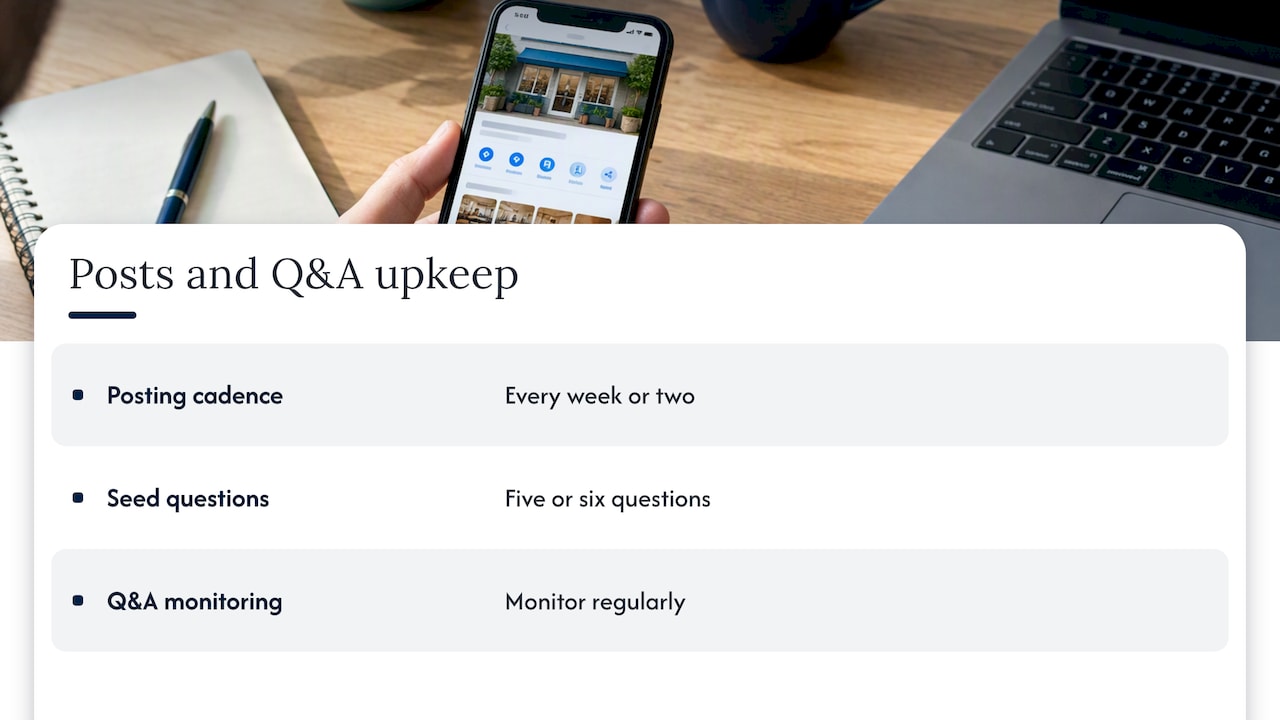
Posts and the Q&A section are two of the most underused parts of a Business Profile. Posts let you share updates, offers, and events directly in your listing, and they give Google fresh content to associate with your business beyond your static profile fields. Publish one every week or two, covering seasonal promotions, new services, or recent projects, and include a clear call to action like “Call now” or “Book online.”
The Q&A section is public and editable by anyone, which means unanswered or inaccurate questions can sit there indefinitely. Seed it yourself with the five or six questions customers actually ask, such as whether you offer free estimates or what areas you serve, and answer them directly as the business. Monitor it regularly, since a new question with no answer looks neglected to anyone browsing your listing.
Treat both features as ongoing maintenance rather than a one-time setup. A profile with recent posts and answered questions signals an active, responsive business, which matters to a person comparing three similar listings before they call one.
Optimizing for voice search and mobile local search
Most local searches already happen on a phone, and a growing share start as a spoken question rather than a typed one. Voice queries tend to be longer and more conversational, closer to “where can I get my car fixed near me right now” than a short keyword string. Writing your FAQ and location page content in a natural, question-and-answer format helps match that phrasing without forcing it.
Mobile performance is inseparable from voice performance, since most voice assistants pull from the same mobile-indexed pages Google already ranks. A slow-loading location page or a phone number that isn’t tappable costs you conversions even if the page ranks well. Confirm your click-to-call buttons work, your address opens directly in Maps, and your hours are visible without scrolling.
Keep your Business Profile hours and attributes current, since voice assistants frequently pull “open now” and “near me” answers straight from profile data rather than your website. A mismatch between your website hours and your profile hours creates the kind of inconsistency that undermines both.
Local competitor analysis and benchmarking
A quick competitor check tells you what “good enough” looks like in your market before you decide where to spend effort. Search your core terms as a customer would, and note which three or four businesses consistently appear in the map pack.
Open their Business Profiles and compare review count, review recency, photo quality, and category selection against your own. A competitor with twice as many recent reviews and a fuller set of photos is showing you exactly where the gap sits. Check whether they’re using posts regularly or have an active Q&A section, since those are easy areas to match or beat quickly.
Revisit this comparison every quarter rather than once, since map pack rankings shift as competitors update their own profiles and review counts. Benchmarking isn’t about copying a competitor’s content, it’s about identifying which checklist items they’ve completed that you haven’t.
Leveraging social media for local engagement and signals
Social media doesn’t directly feed Google’s local ranking algorithm the way reviews or citations do, but it supports the signals that do matter. A business page with recent posts, local hashtags, and tagged location check-ins reinforces the same NAP consistency you’re already maintaining elsewhere.
Share the same updates you post to your Business Profile, such as promotions, new services, or community involvement, across Facebook and Instagram. That cross-posting habit keeps your business visible to people who found you through a share or a tag rather than a direct search, and it creates another public record of your correct business name and location.
Respond to comments and messages the same way you respond to reviews: promptly and specifically. A social profile that looks abandoned sends the same weak signal as a Business Profile with no recent activity, even if it doesn’t factor into rankings directly.
Building and optimizing localized content such as blogs and FAQs
Blog content gives you room to target local topics your location page can’t cover without becoming cluttered. A post about a seasonal service need in your area, a recent local project, or a question customers frequently ask works harder for local relevance than another generic service page.
Structure each post around a real question a nearby customer would search, and answer it directly in the opening paragraph before expanding. Link back to your relevant location or service page from within the post, so the authority a blog post earns flows to the page you actually want to rank.
Build a standing local FAQ section, covering service area boundaries, pricing ranges, and scheduling questions, and update it as questions evolve. Consistent publishing, even once or twice a month, keeps your site active in Google’s eyes and gives you fresh material to share on social media and in Business Profile posts.
Author perspective from Michael: pragmatic priorities for small businesses
If you only fix three things this month, fix your Business Profile, your review response habit, and your tracking setup. Everything else on this checklist compounds faster once those three are solid, and almost nothing else matters if they’re not. I’ve watched businesses chase link-building tactics while their phone number was wrong on two major directories, undoing the effort before it started. Consistency across the basics beats any single clever tactic, and it’s rarely the exciting part of the work that actually moves rankings.
— Michael
How Tradewinds United Media helps with local SEO
Working through this checklist alone takes real hours most small business owners don’t have between running the actual business. Some providers handle the pieces that map directly to what you’ve just read: Google Business Profile optimization, local SEO reporting, reputation management, and the on-site fixes your location pages need to support everything else.

Here’s what a typical engagement covers:
- Full Business Profile audit and completion, including category, attributes, photos, and posts.
- A local SEO report that tracks calls, direction requests, and ranking position month over month.
- Reputation management to build a steady review request process and handle responses.
- Website fixes through our website design service when your location pages or site speed need work.
Most clients see their Business Profile and citation fixes completed within the first few weeks, with reporting on calls and rankings building out from there. If running this checklist yourself feels like one more thing competing for your attention, our SEO service picks up where this guide leaves off. Get in touch to start with a local SEO report and see exactly where your business stands today.
FAQ
What is the most important item on a local SEO checklist?
Completing and verifying your Google Business Profile comes first, since Google’s own guidance ties local ranking to relevance, distance, and prominence, all of which connect back to profile accuracy. NAP consistency across your site and directories is the close second priority.
How long does it take to see local SEO results?
Most businesses see movement in calls and direction requests within the first 90 days of consistent work, based on the task order in a 30/60/90 plan. Full ranking improvements for competitive terms often take longer and depend on how established local competitors already are.
Does structured data guarantee a rich result in search?
No. Google’s structured data policies state clearly that valid, policy-compliant markup does not guarantee a rich result will display. Structured data helps Google understand your business, but it’s one input among many.
How often should I ask customers for reviews?
Send a review request promptly after service completion, then one follow-up five to seven days later if there’s no response. Beyond that, repeated requests tend to annoy customers without improving response rates.
Can I display my Google reviews on my website for rich snippets?
Not as star rich snippets. Google’s review snippet policy excludes pages where the business controls which reviews appear, so embedded reviews build on-site trust but won’t trigger star ratings in search results.
Sources
- Tips to improve your local ranking on Google – Google Business Profile Help
- Local SEO ranking factors: Your complete guide – Semrush